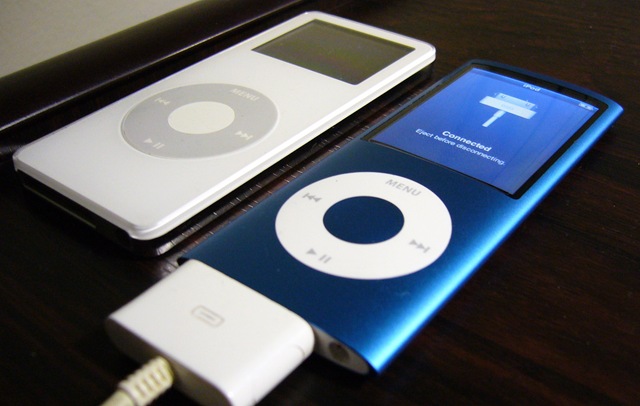
อัพเดท Firmware iPod nano (4th generation) แล้วอ่านภาษาไทยไม่ได้ แก้ยังไงดี ?

จาก ได้มาแล้ว iPod nano 4thG (8GB) วันนี้เมื่อเช้าได้มี notification ขึ้นมาว่ามี update ตัวใหม่ออกมา มีการ support/fix ดังนี้

  • Support for Apple In-Ear Headphones with Remote and Mic
  • Support for Apple Earphones with Remote and Mic
  • Fixed instability issues when using Nike + iPod Sport Kit
  • Added a setting to turn off Cover Flow when rotating iPod nano and a Cover Flow menu item under the Music menu
  • When Shuffle setting is set to Songs, pressing play on a song in a saved Genius playlist will now follow the Shuffle setting
  • After playing a slideshow with TV out, Cover Flow album art is no longer distorted
  • Waking iPod nano after hibernating no longer distorts photos
  • Other minor bug fixes

แล้วพอ update ไปมันดันอ่านไทยไม่ได้ซะงั้น T_T

เลยลอง iPod 5Rs Troubleshooting Assistant ตามแบบฉบับเดิมของเราก่อนเลย แล้วสำเร็จที่ Reset ครับ

Reset
To reset your iPod:

  1. Toggle the Hold switch on and off. (Slide it to Hold, then turn it off again.)
  2. Press and hold the Menu and Select buttons until the Apple logo appears, about 6 to 10 seconds. You may need to repeat this step.

Tip:
o If you are having difficulty resetting your iPod, set it on a flat surface. Make sure the finger pressing the Select button is not touching any part of the click wheel. Also make sure that you are pressing the Menu button toward the outside of the click wheel, and not near the center.
o If the above steps did not work, try connecting iPod to a power adapter and plug the power adapter into an electrical outlet, or connect iPod to your computer. Make sure the computer is turned on and isn’t set to go to sleep.

ลอง ๆ กันดูนะครับ น่าจะช่วยแก้ปัญหาได้ครับ
 

Barcamp Bangkok 2, The next topic is … (ตอนที่ 4 + จบแล้ว)

ดองมานานมากกกกกกกกก แล้วครับ –_-‘ เอ้ามาต่อกันเลยดีกว่าครับ จากตอนที่แล้วตั้งแต่ Barcamp Bangkok 2, The next topic is … (ตอนที่ 1), Barcamp Bangkok 2, The next topic is … (ตอนที่ 2) และ Barcamp Bangkok 2, The next topic is … (ตอนที่ 3) เราก็มาต่อที่ตอนที่ 4 ครับ

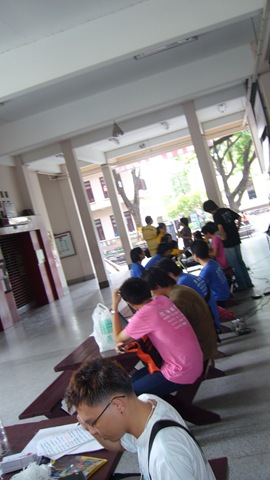
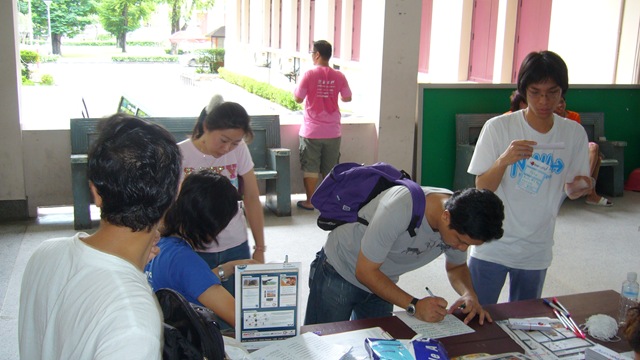
มาถึงตอนเช้า คนมาไม่มากครับ เพราะคาดว่าจะ down กันหมดตั้งแต่เมื่อคืน ;Pในวันที่ 2 นี้ลดจากเปิด 8 ห้องในวันแรกเป็น 4 ห้องครับ เพราะคนมาน้อยกว่าวันแรกเกือบครึ่ง วันแรกมากัน 400 คนได้ แต่มาวันที่ 2 เหลือประมาณ 200 กว่า ๆ ครับ ซึ่ง วันที่สองนี่คนพอ ๆ กับ Barcamp Bangkok ครั้งแรกครับ (แต่ก็เยอะอยู่ดี ;P )

P1080684 

น้อง ๆ จุฬาก็ยังคงฟิตกันทุกคนครับ ยังหนุ่ม ยังสาวกันอยู่เลยมีแรงเยอะ ผิดกับคนแก่ ๆ หมดแรงไปหมดแล้ว ฮ่า ๆ ๆ ๆ

P1080685

มาเช้าครับ รอสัก 10 – 20 นาทีคนก็เริ่มมาครับ

P1080720

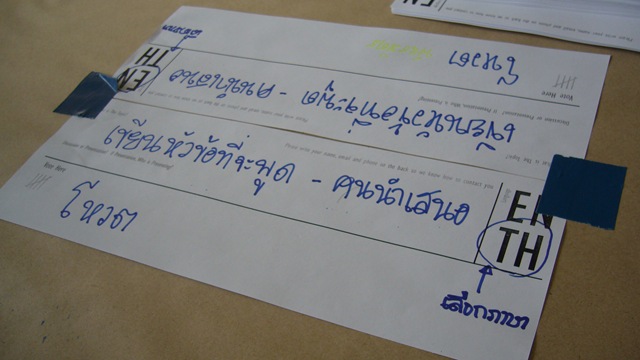
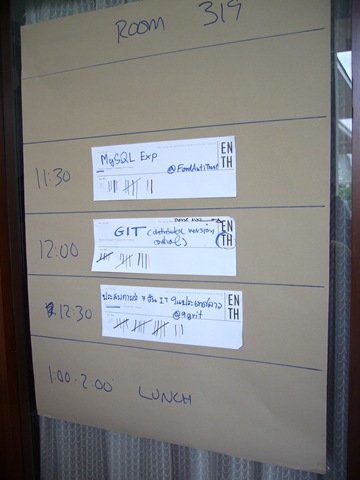
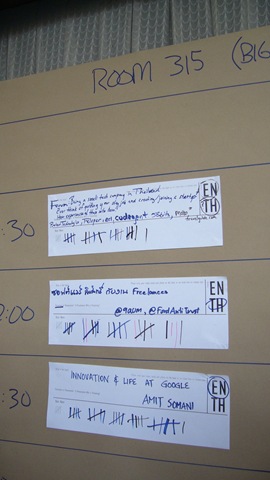
ในวันนี้ผมก็เปิด Session พูด 2 Session ครับคือ MySQL Exp กับ PHP Hoffman Framework ครับ แล้วก็ไปแจมกับ Session ของ @9aum ที่ชื่อว่า Copyrighted Software And A Life Of Freelancer Thai ครับ ส่วนอีก session หนึ่งที่ @9GRiT โทรมาบอกว่าให้ไปตั้งให้ด้วยคือ ประสบการณ์ IT 7 วันในประเทศลาวครับ หัวข้อทั้งหมดได้โหวตหมดเลยครับ ดีใจจัง ;P (แต่ PHP Hoffman Framework ดันไปอยู่รอบบ่ายตอน 17:00 ครับ)

 P1080721 P1080724

Read more


ได้มาแล้ว iPod nano 4thG (8GB)

เมื่อวันพฤหัสฯ ที่ผ่านมาไปงาน Commart ตอนแรกกะไปเดินดูของเฉย ๆ เรื่อย ๆ แต่ว่าไปสะดุด iPod nano ตัวใหม่ คือโดยส่วนตัวแล้วเห็นมาตั้งนานแล้วหล่ะครับ พอดีว่าพี่ @kangg เค้าเอามาให้ดูตอนเข้าไทยใหม่ ๆ เลย (ตั้งแต่ในไทยยังไม่เปิดตัว) แต่ว่าตอนนั้นเงินไม่ค่อยมี บัตรเครดิตก็ไม่มี จะให้ทำไง เลยข่มใจไว้ก่อน

มารอบนี้เลยไปเดินดูแต่ว่ากิเลสมันแตก เลยซื้อมาเลย งานเข้าครับท่าน T_T แต่ด้วยความที่เราก็ไม่อยากจ่ายเงินก้อน ประกอบกับเอาแต้มสะสมด้วย เลยผ่อน 0% ไปซะ 8 เดือนเลย เอาสบาย ๆ ง่าย ๆ กับ KTC เค้าแล้วกัน จริง ๆ จะซื้อสดก็ได้อ่ะ แต่ว่าคิด ๆ ไปแล้ว เราผ่อน 0% ซะ แล้วเอาแต้มสะสม แถมไม่ต้องจ่ายลงไปหนัก ๆ ครั้งเดียวก็ถือว่าคุ้มนะ เอาเงินไปทำอย่างอื่นได้

แล้วอีกอย่างคือในงานเนี่ย Microsoft ก็มี promotion ผ่อน Software ของเค้าแบบ 0% เหมือนกัน ใครอยากซื้อของแท้ แต่อยากจ่ายสบาย ๆ  ไม่ต้องลงเงินก้อนใหญ่ ๆ ก็ลองดูครับ

แต่คงมีคนตั้งคำถามว่า “ก็ไหนบอกว่าจะไม่ซื้อ iPod แล้วนิ” อืมมม ก็คิดแบบนั้นอยู่ตอนจะซื้อนะ แต่ว่าเพราะมันใช้งานภาษาไทยได้แล้ว เรื่องอื่น ๆ ก็ไม่น่ามีปัญหาแล้วหล่ะ ส่วน iriver E100 นี่คาดว่าส่งต่อให้แฟนใช้แทนครับงานนี้ ;P

P1080937